Panorama to short video
Convert 360° panoramas into engaging short videos for social media sharing.
Video settings
Video name*
Rotation speed
FOV
Screen ratio
Video resolution
Pro
History
Your history is empty.
Upload Cube Faces
Name each image by its direction: xxx_f.jpg, xxx_b.jpg, xxx_l.jpg, xxx_r.jpg, xxx_u.jpg, xxx_d.jpg. The prefix is optional; f.jpg, b.jpg, l.jpg, r.jpg, u.jpg and d.jpg are also supported.
You can also use front.jpg, back.jpg, left.jpg, right.jpg, up.jpg and down.jpg.
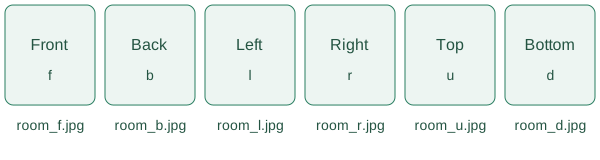
Select all six images at once. Each image must be square, with the same resolution, from 500 to 6000 pixels per side. Supported formats: JPG, JPEG and PNG.
Use cube faces exported from panorama cameras or 3D software. Six ordinary phone photos may produce misaligned or overlapping images.
Top: u
Bottom: d
Front: f
Back: b
Left: l
Right: r